
Generate calendars
Choose a date range and starting day to generate a calendar in your document, with supporting table styles, paragraph styles and swatches.
- Custom date ranges
- Supporting styles and swatches
- Consistent calendar formatting

Productivity tools for Adobe InDesign
Spend less time on repetitive production tasks.
Create calendars, generate colour swatches, turn URLs into hyperlinks and simplify everyday document work with a collection of utilities inside InDesign.
Downloads the CCX installer. See installation steps below.
Examples of the tools included
Highlander Tools brings common production utilities together in one plugin. These examples show some of the ways it can help with repetitive document work.
Choose a date range and starting day to generate a calendar in your document, with supporting table styles, paragraph styles and swatches.

Enter or paste multiple colour values and create the corresponding swatches together, helping you work with supplied brand colours.

Identify website addresses and convert them into InDesign hyperlinks when preparing interactive PDFs and digital publications.
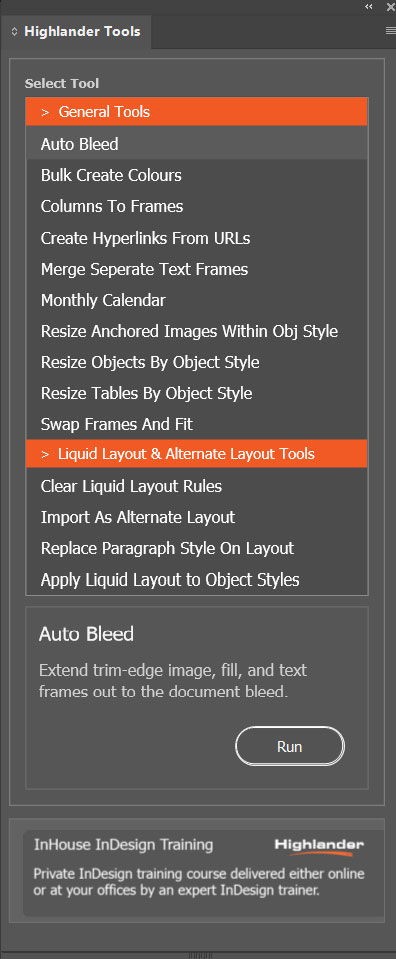
Built around production work
Designed for designers, marketing and communications teams, bid teams and in-house publishing departments, Highlander Tools helps reduce repetitive editing and improve consistency.
Use the tools without writing scripts, with utilities for tasks such as generating content, managing swatches, resizing items and cleaning up documents.
Developed by Highlander Training, an independent creative software specialist established in 1995.
Getting started
Use the download button to save the Highlander Tools CCX installer to your computer.
Double-click the downloaded CCX file and follow the installation prompts. Reopen InDesign to access the Highlander Tools menu.
Choose About Highlander Tools from the Highlander Tools menu to start your trial or activate a purchased licence.
Licence purchasing and activation use our licensing partner, Lemon Squeezy.
Further information
Tell us your InDesign version, plugin version and what happened using the plugin support form.
Get plugin support Read the software licence agreementExplore Highlander Accessibility Checker for help identifying common accessibility issues in your InDesign documents before PDF export.
Explore Accessibility Checker